
Follow the steps below to secure your reservation:
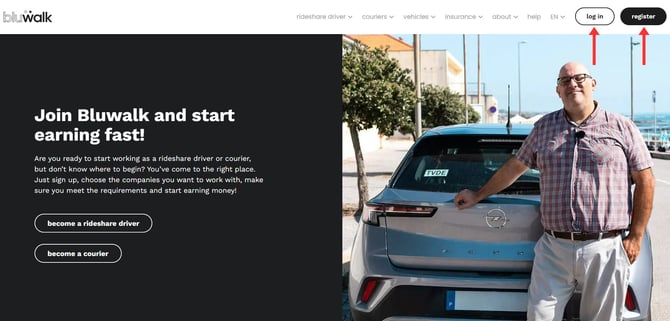
- Log in to your account: Visit our website and log in. If you do not have an account yet, you must register first.
-
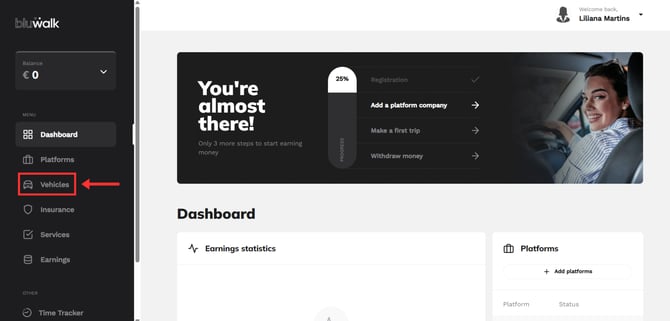
Access the vehicles area: Once inside the platform, on the left side panel, select the “Vehicles” option.
-
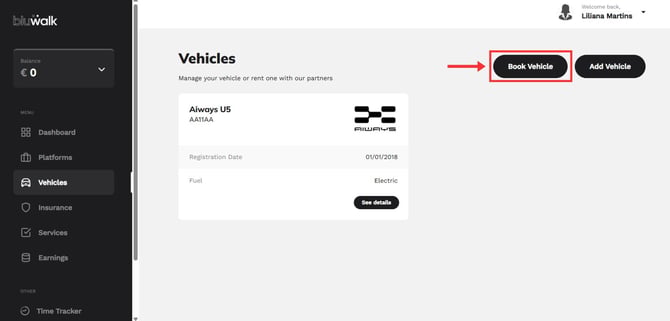
Click on "Book a Vehicle"
-
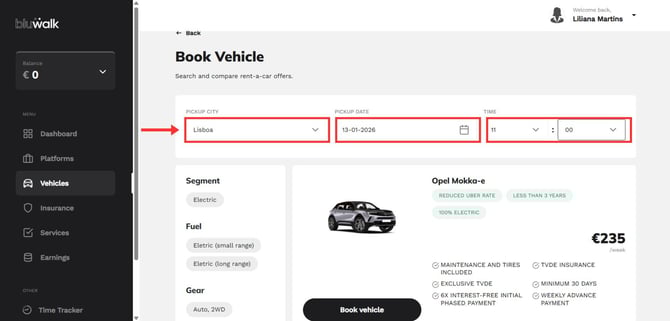
Select the pickup city, followed by the date and time you wish to pick up your vehicle.
-
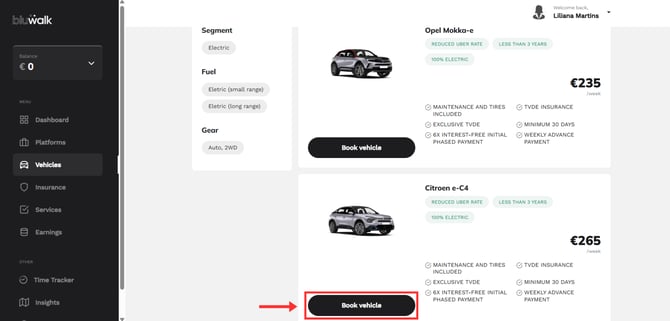
Review the available vehicles and once you have found the one you want, click on “Book vehicle.”
-
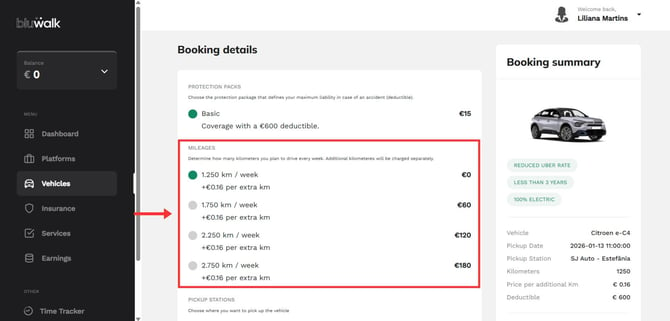
Define the details and mileage packages. At this stage, you can configure the details of your reservation. Please note that all our vehicles include a basic limit of 1,250 km/week.
-
We know that every driver has their own driving style. If 1,250 km is not enough for you, you can add extra packages of 500 km, up to a limit of 2,750 km per week.
-
-
Terms and conditions. Please read and accept the rental terms and conditions carefully. To continue, click on “Finalize Booking.”
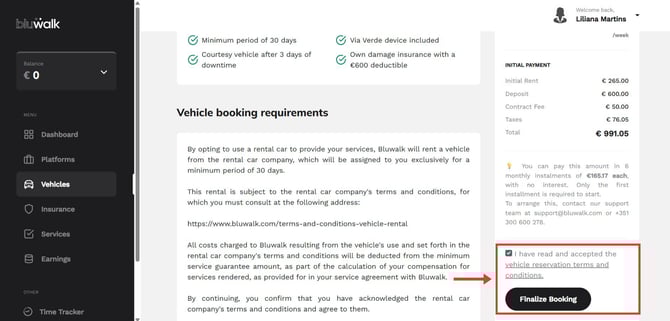
What makes up the initial payment: the amount shown in your summary combines the components of the first payment (security deposit, administration fee, and the rental fee for the initial period).
The amount of each component depends on the vehicle and the rental period you choose, and the details are shown in your summary before you make the payment.
-
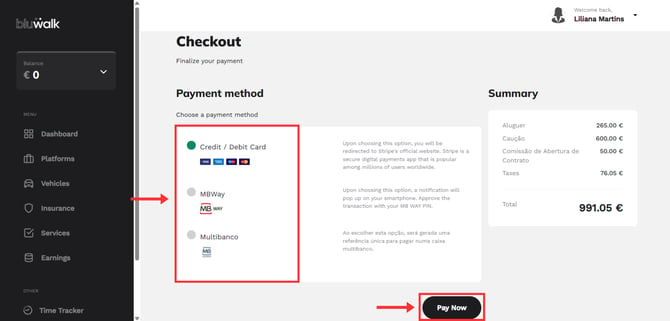
Payment. Finally, choose your preferred payment method. We accept:
-
Credit/Debit Card
-
MBway
-
Multibanco
-
-
Checkout. Click “Pay Now” and enter the requested information to confirm the transaction.
After successful payment, our team will contact you. You will then receive a confirmation of your reservation and instructions for picking up the vehicle.
Wherever you go, we go with you:
Through our help center, in the support area, or by phone (+351 300 600 278, available Monday through Friday, from 9:00 a.m. to 6:00 p.m.). See you soon!