![Logo300dpi-3.png]](https://support.bluwalk.com/hs-fs/hubfs/Logo300dpi-3.png?height=50&name=Logo300dpi-3.png)
Follow the steps below to secure your reservation:
- Log in to your account: Visit our website and log in. If you do not have an account yet, you must register first.
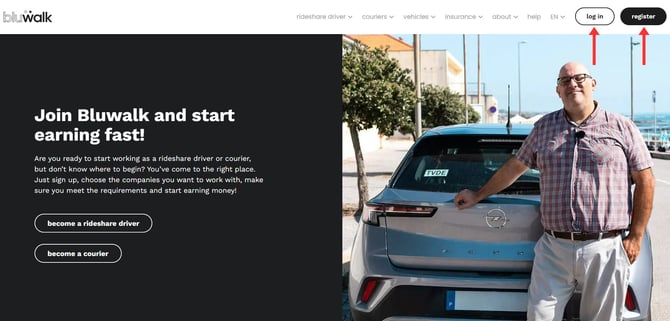
-
Access the vehicles area: Once inside the platform, on the left side panel, select the “Vehicles” option.
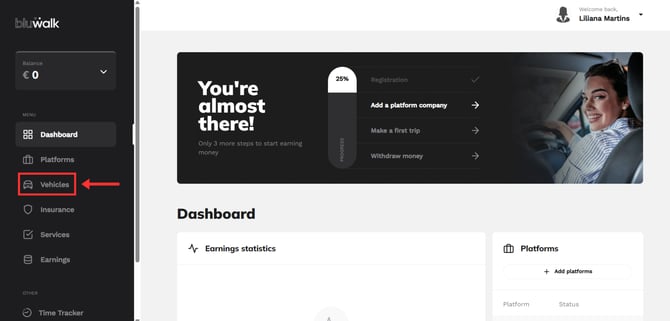
-
Click on "Book a Vehicle"
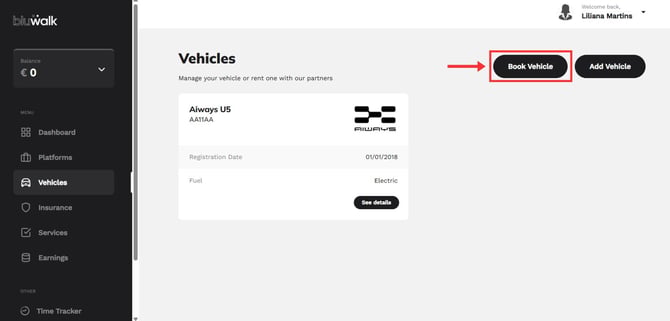
-
Select the pickup city, followed by the date and time you wish to pick up your vehicle.
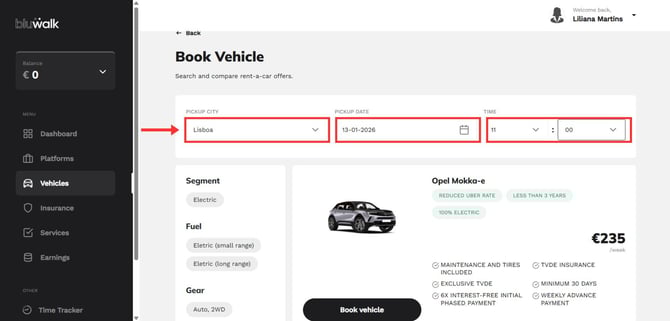
-
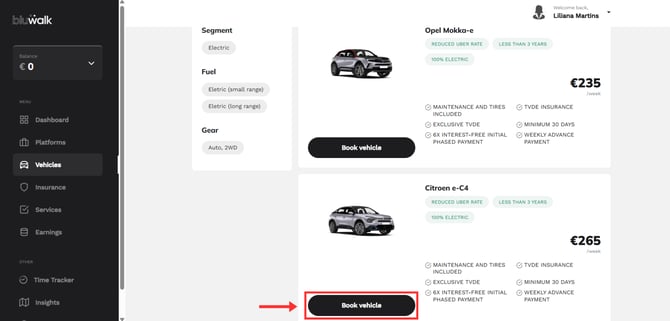
Review the available vehicles and once you have found the one you want, click on “Book vehicle.”
-
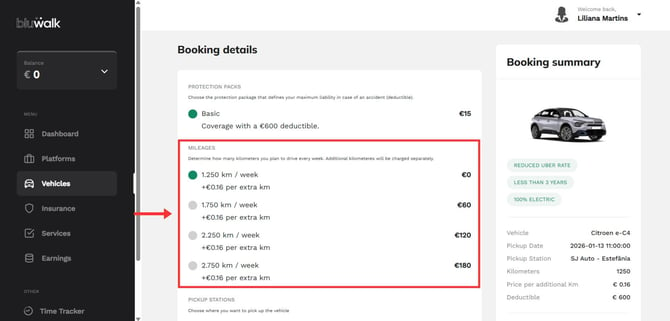
Define the details and mileage packages. At this stage, you can configure the details of your reservation. Please note that all our vehicles include a basic limit of 1,250 km/week.
-
We know that every driver has their own driving style. If 1,250 km is not enough for you, you can add extra packages of 500 km, up to a limit of 2,750 km per week.
-
-
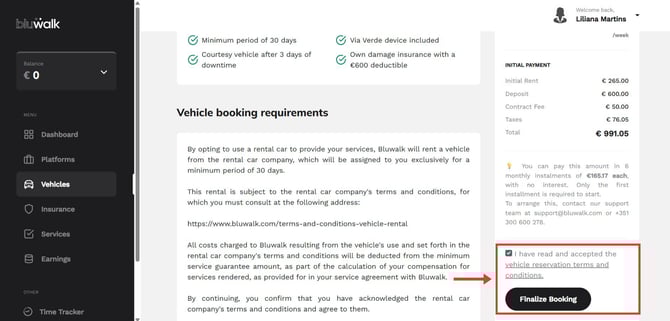
Terms and conditions. Please read and accept the rental terms and conditions carefully. To continue, click on “Finalize Booking.”
-
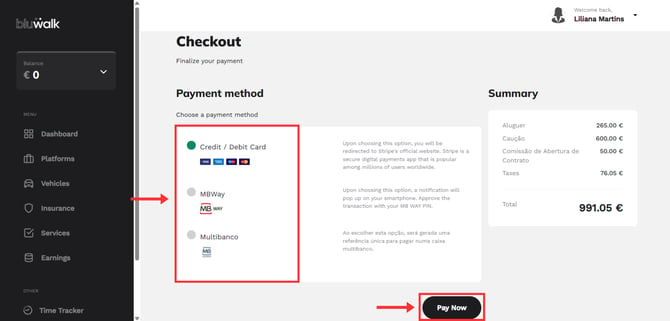
Payment. Finally, choose your preferred payment method. We accept:
-
Credit/Debit Card
-
MBway
-
Multibanco
-
-
Checkout. Click “Pay Now” and enter the requested information to confirm the transaction.
After successful payment, our team will contact you. You will then receive a confirmation of your reservation and instructions for picking up the vehicle.
Wherever you go, we go with you:
Through our help center, in the support area, or by phone (+351 300 600 278, available Monday through Friday, from 9:00 a.m. to 6:00 p.m.). See you soon!