
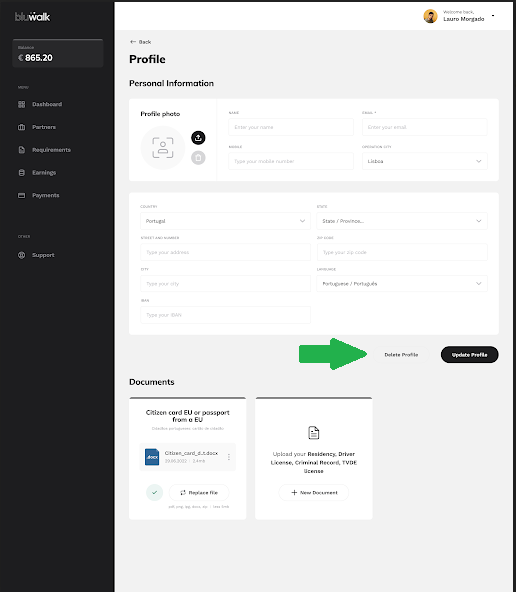
To delete your registration on the Bluwalk website, simply access your profile, and select Personal Information, as shown in the image below:
.webp?width=670&height=333&name=mceclip0%20(1).webp)
When you open the personal information tab, the “Delete Profile” option will be available:
Important:
For legal and administrative reasons, your account can only be deleted if there are no active transactions or processes associated with the Bluwalk platform.
If the deletion option is not available, please contact the support team.